
Adorely

Surprise ideas

Birthday slideshow ideas, and how long yours should actually be

By Pash, founder of Adorely · Updated August 9, 2026 · 5 min read

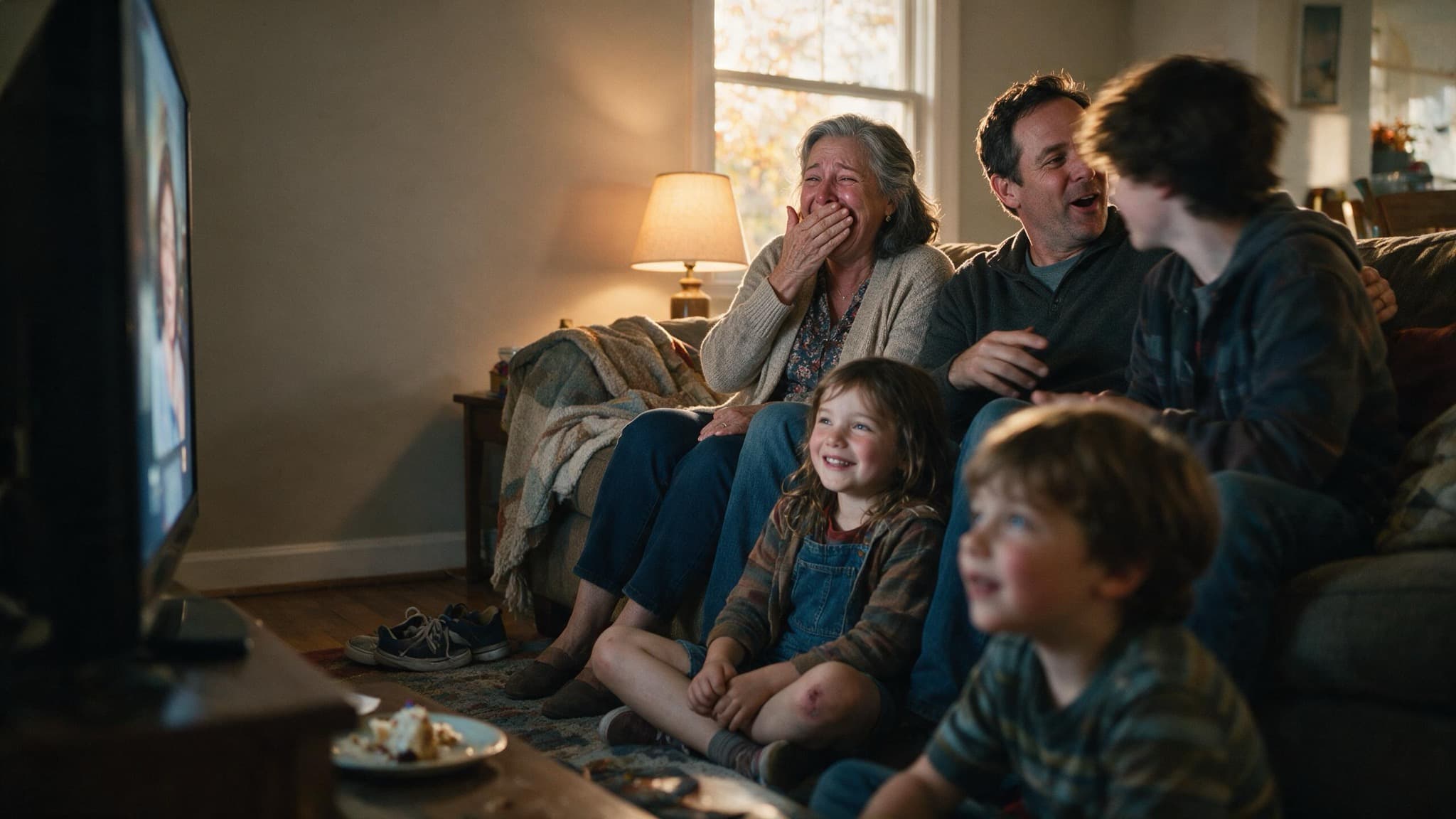
A living room of family watching a photo slideshow on a television, one woman laughing with a hand over her mouth

Four minutes. Sixty to eighty photos. One song, maybe two. That is the shape of a birthday slideshow that a room actually watches, and almost every homemade one runs three times that long because the person making it could not cut anything. The test for each photo is not whether it is a good picture, it is whether at least four people in the room will react to it. Photos that only mean something to you are the ones that turn a warm room quiet.

Below: the running order that works, how to pick songs without making it a funeral, what changes for a 40th versus a 60th versus a 1st, and the thing nobody plans for, which is what happens to the slideshow the day after the party.

The rules, in order

1.Four minutes, and cut ruthlessly to get there

A room stays with a slideshow for about four minutes and starts talking again at six. Sixty to eighty photos at three to four seconds each lands right. If you have two hundred photos you love, you do not have a slideshow, you have an album, and those are different objects with different jobs. Cut to the ones that get a reaction from strangers.

2.Chronological, but start at the middle

Straight chronology from baby photos onward loses the room in the first thirty seconds, because nobody in the audience knows that baby. Open with a photo from the last two years that everyone present recognizes, then jump back to the beginning and run forward. You get the recognition laugh immediately and the timeline still does its work.

3.Two songs, and neither of them is Time of Your Life

One upbeat song tied to a specific era of their life, then a switch to something slower for the last ninety seconds. The era song beats the objectively good song every time, because the room reacts to the year, not the melody. Avoid the standard graduation and montage songs unless you want the room to feel the format instead of the person.

4.One photo of every person in the room

The most reliable trick in this article. Go through the guest list and make sure everybody physically present appears at least once. Watching a room during a slideshow, every single spike in noise is somebody spotting themselves. It costs you twenty minutes of hunting and it changes the temperature of the whole thing.

5.The bad photos are the good photos

Blurry, badly lit, mid-blink, terrible haircut, a disaster of a holiday. These get the loudest reaction in the room and the flattering studio ones get silence. A slideshow of good-looking pictures is a screensaver. Aim for roughly one in four to be genuinely unflattering, and clear anything actually humiliating with someone who knows them well.

6.Milestone by milestone, the register changes

A 1st is for the parents and should be short and mostly them. A 30th can be funny throughout. A 40th should skip the "over the hill" material entirely, which nobody has found funny since 1998. A 60th and up carries real weight: include the people who are gone, briefly and without lingering, and make sure their grandchildren are in it.

Rewind template: a scrapbook-style page built for old photographs and short written notes

7.Ask five people for two photos each

Your camera roll only has the parts of their life you were present for. Ask their college roommate, their sister, the friend from their first job. Ten photos you have never seen is worth more than another fifty of yours, and it is the section where the room leans forward, because half of it is new to everybody including the birthday person.

Collect photos from everyone in one place

8.Test it on the actual screen, the day before

The single most common failure is technical, not editorial. Vertical phone photos with black bars on a wide TV, audio that will not come through the speaker, a laptop that goes to sleep at minute two. Plug in the real machine to the real screen, play it through once end to end, and find out then instead of in front of forty people.

9.Do not narrate it

Resist the urge to stand next to the screen explaining photos. Let the room react on its own. If context is genuinely needed, put four words on the slide. A slideshow with a live commentary track becomes a presentation, and the moment it becomes a presentation people start checking their phones.

Filmy template: a bold cinematic birthday page for someone with a big personality

10.Plan for the day after, because the slideshow dies at the party

This is the part nobody thinks about. The video file sits on your laptop, the birthday person never watches it alone, and within a month it is gone. If you want it to survive, put the same photos somewhere they can open on their phone, with the messages from everyone attached, and text them the link the next morning. The party format and the keepsake format are different, and doing only the first is why most of this work evaporates.

Make the version that survives the party

Quick answers

How long should a birthday slideshow be?

About four minutes, which is sixty to eighty photos at three to four seconds each. A room stays with a slideshow for roughly four minutes and starts talking again at six. If you cannot cut below that, you have an album rather than a slideshow, and those do different jobs.

What songs are good for a birthday slideshow?

Two songs: one tied to a specific era of their life, then something slower for the last ninety seconds. The era song beats the objectively better song, because the room is reacting to the year rather than the melody. Skip the standard montage songs or people feel the format instead of the person.

What order should birthday slideshow photos go in?

Open with a photo from the last two years that everyone in the room recognizes, then jump to the beginning and run forward chronologically. Straight chronology from baby photos loses the room in thirty seconds, because nobody present knows that baby yet.

What do you do with a birthday slideshow after the party?

Move it somewhere they can open on a phone, with the messages from everyone attached, and send the link the next morning. A video file on your laptop is watched once. The party format and the keepsake format are genuinely different things, and most of the work is wasted if you only build the first.

Turn the idea into the gift.

Photos, your words, their song, and wishes from everyone, on one beautiful page, shared with one link.

Make a birthday page (free)

Keep reading